鮮明さ・ノイズ・色
1回の処理で写真の見た目を自然に改善します。
 元画像補正後
最近の履歴
さらに表示最近の編集履歴はありません。
Improve how your photo looks
A larger image is not always a better image. YuzuTime AI Photo Enhancer reduces distracting noise, improves soft details, balances lighting, and corrects color, with a default 1K result or optional 4K output.
JPG, PNG, and WebP · One image · No prompts required · Sign in to generate
 OriginalEnhanced
1回の処理で写真の見た目を自然に改善します。
通常は1K、より大きな結果が必要な場合は4Kを選択します。
顔、文字、重要な証拠は元画像と比較してください。
Four common photo problems
Improve soft phone photos, compressed web images, and slightly out-of-focus shots. The enhancer rebuilds visible edges and texture while aiming to keep the result natural.
Clean up grain, blocky JPEG artifacts, and rough textures caused by low light or repeated compression.
Balance dark areas, highlights, contrast, white balance, and color intensity without a panel of manual sliders.
Refine eyes, hair, skin texture, and facial detail while preserving identity and avoiding an over-processed look.
Realistic test scenarios
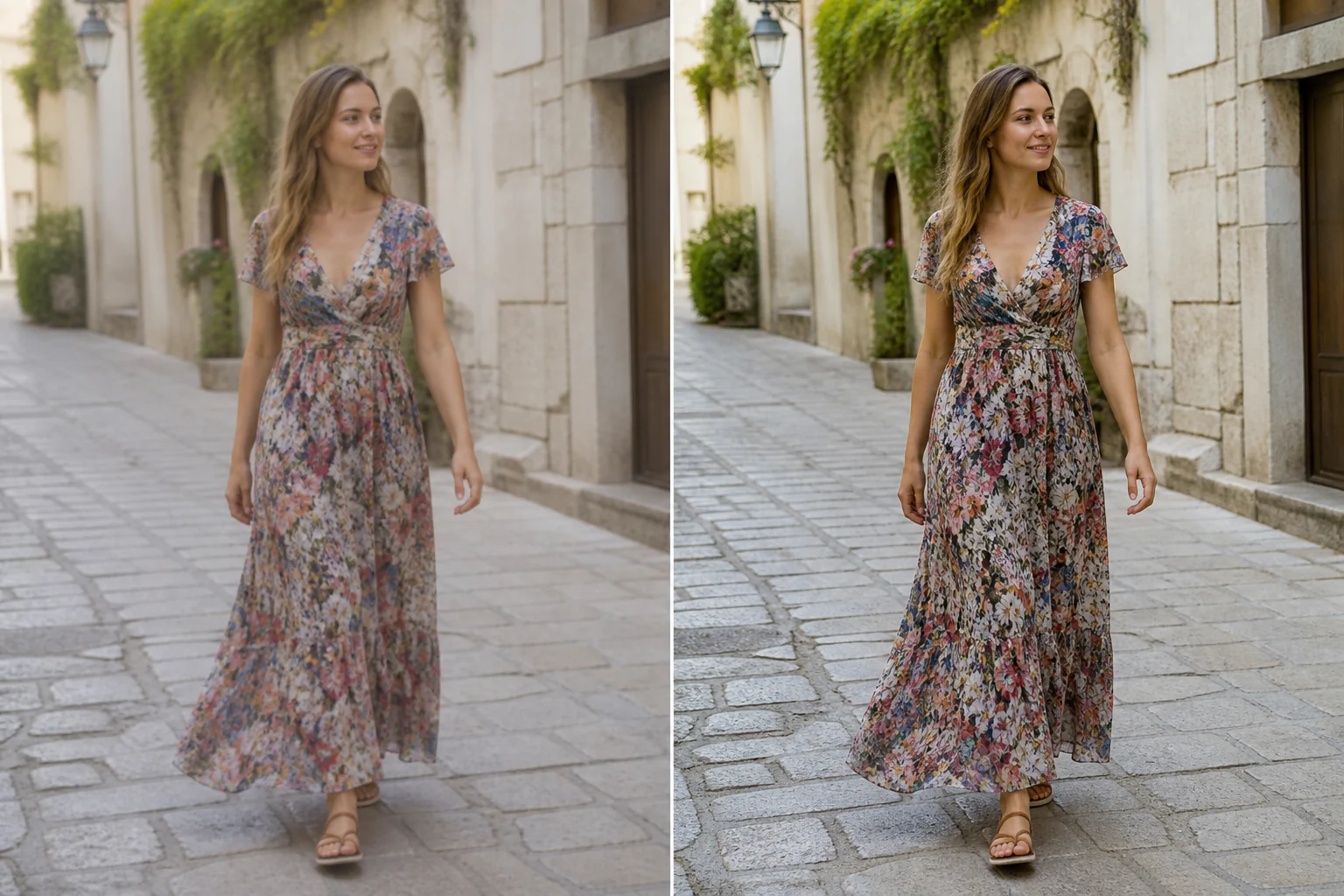
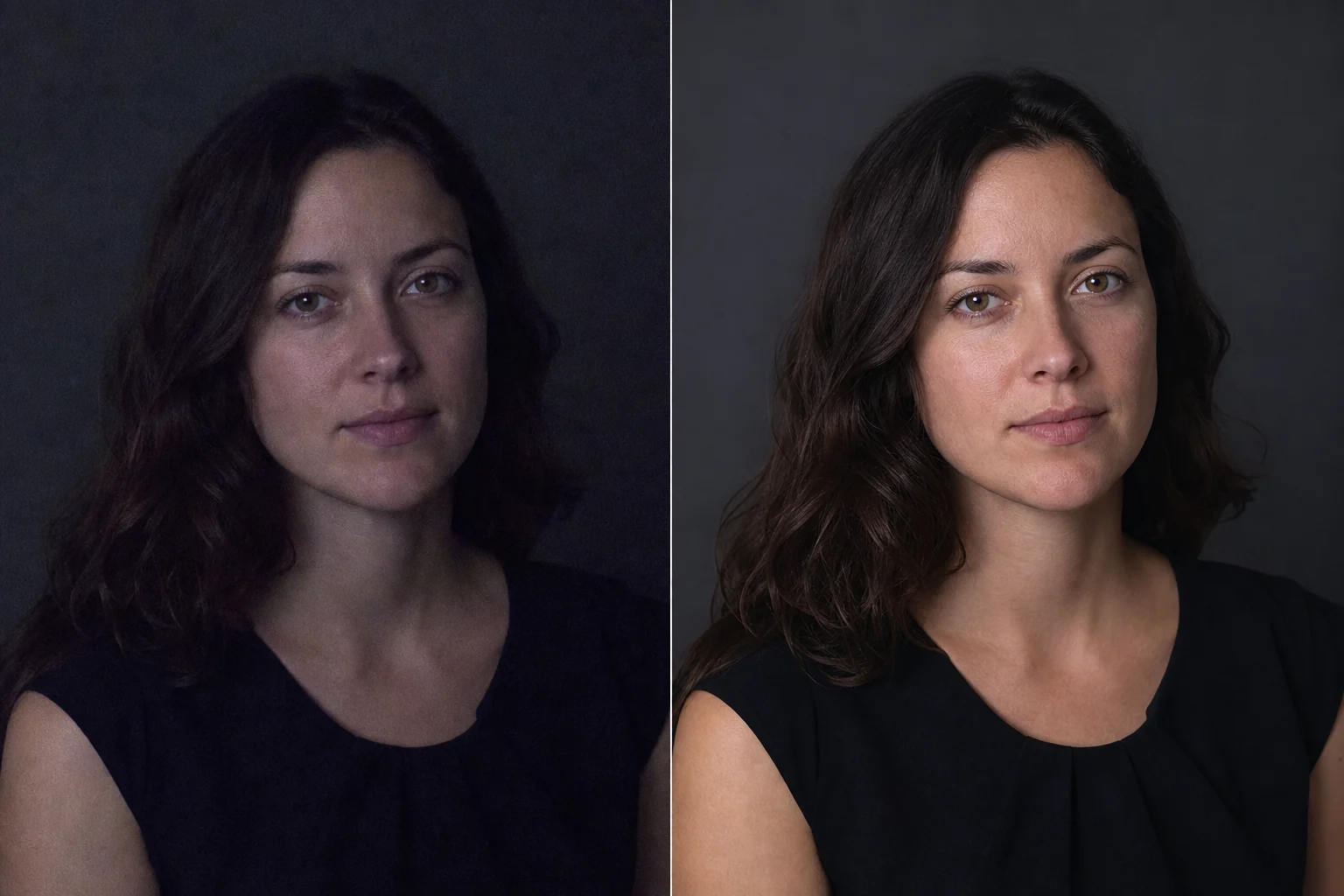
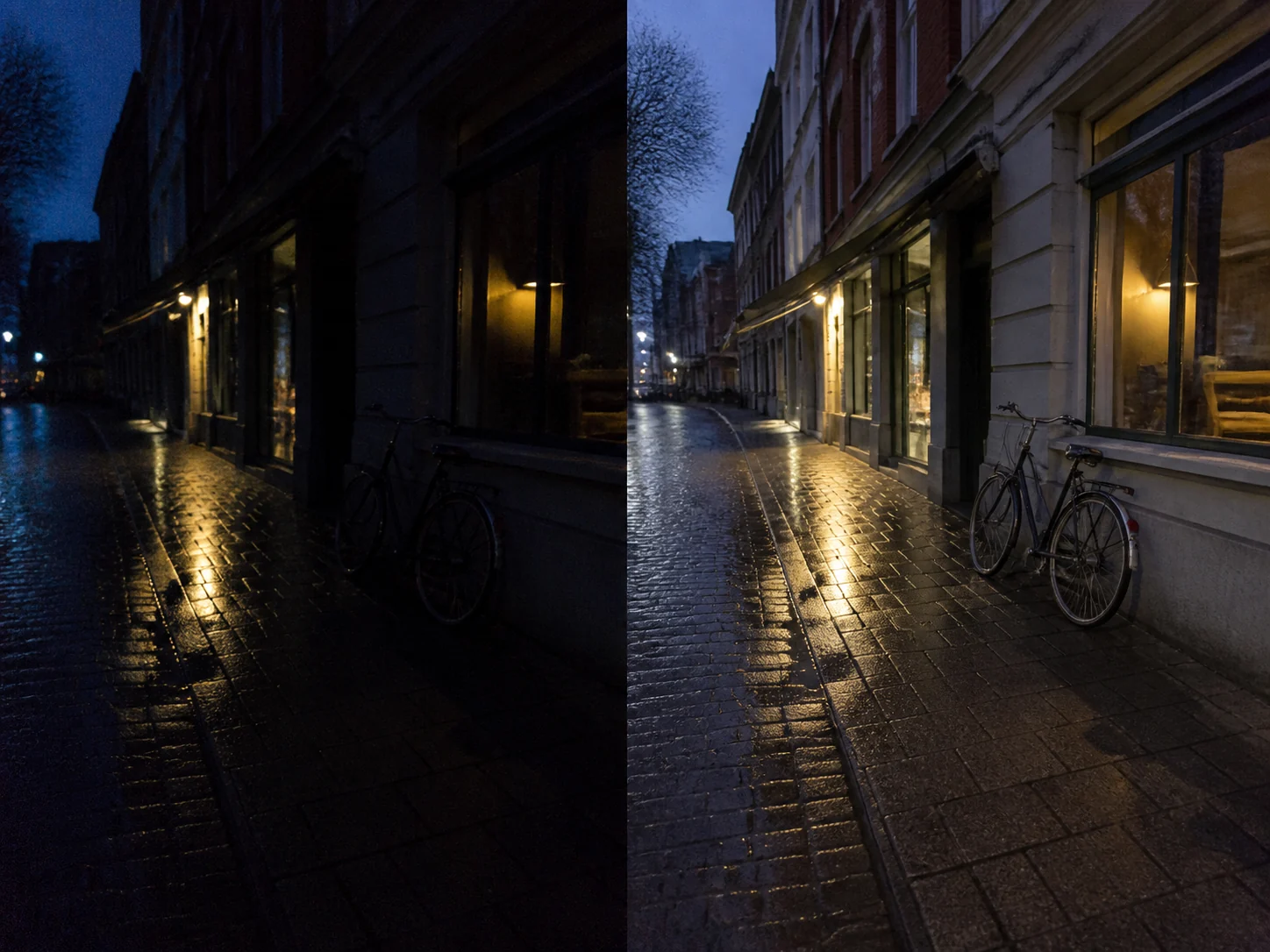
These purpose-built examples show moderate, believable changes rather than impossible recovery claims. Each image keeps a minimal left-original, right-enhanced layout so the effect is easy to inspect.
OriginalEnhancedBalanced exposure, reduced sensor noise, and clearer facial detail with natural skin texture.
 OriginalEnhanced
Cleaner shadows and more neutral color while preserving the atmosphere and highlight detail.
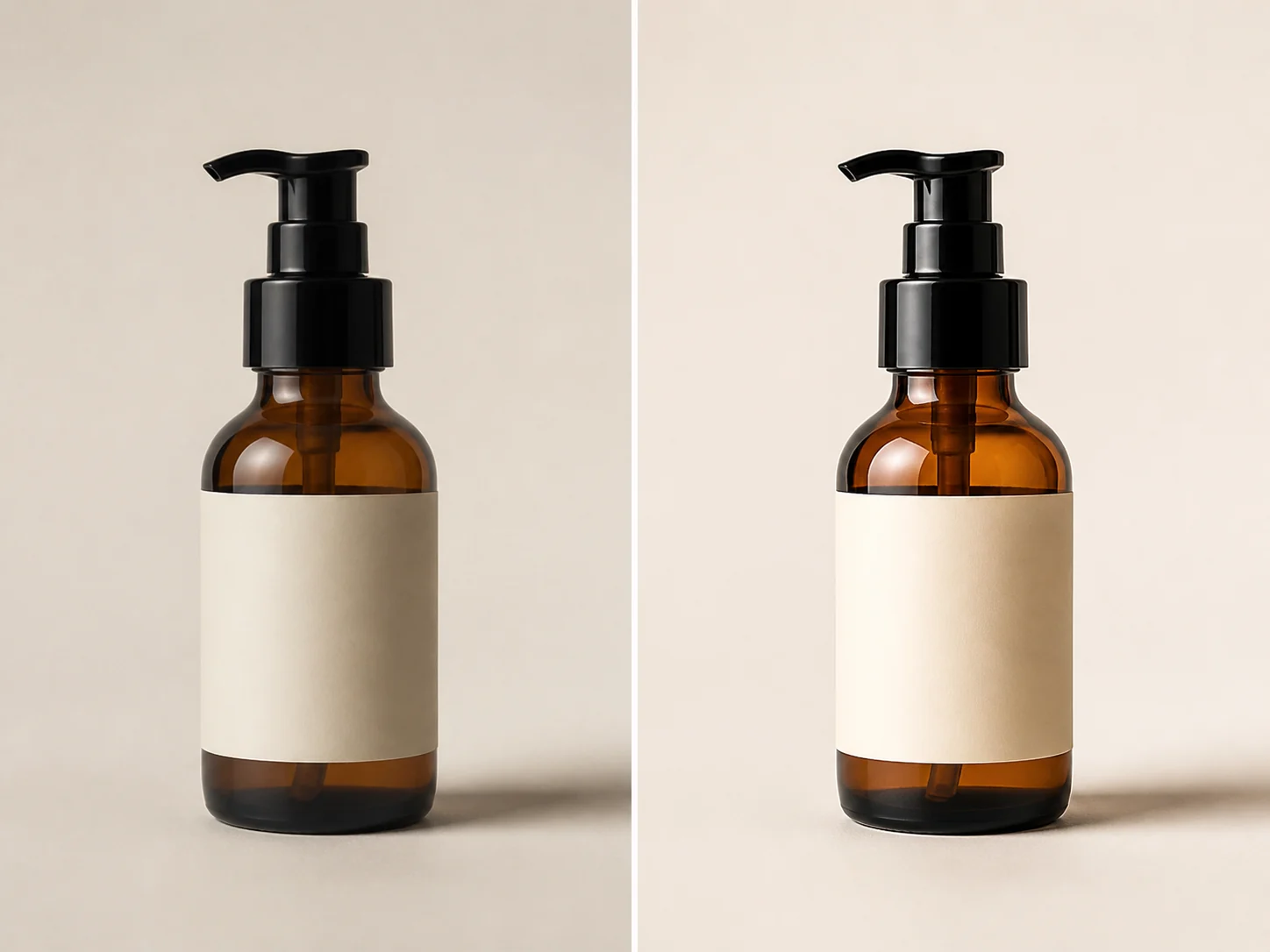 OriginalEnhanced
Reduced compression artifacts with clearer product edges, glass texture, and more accurate color.
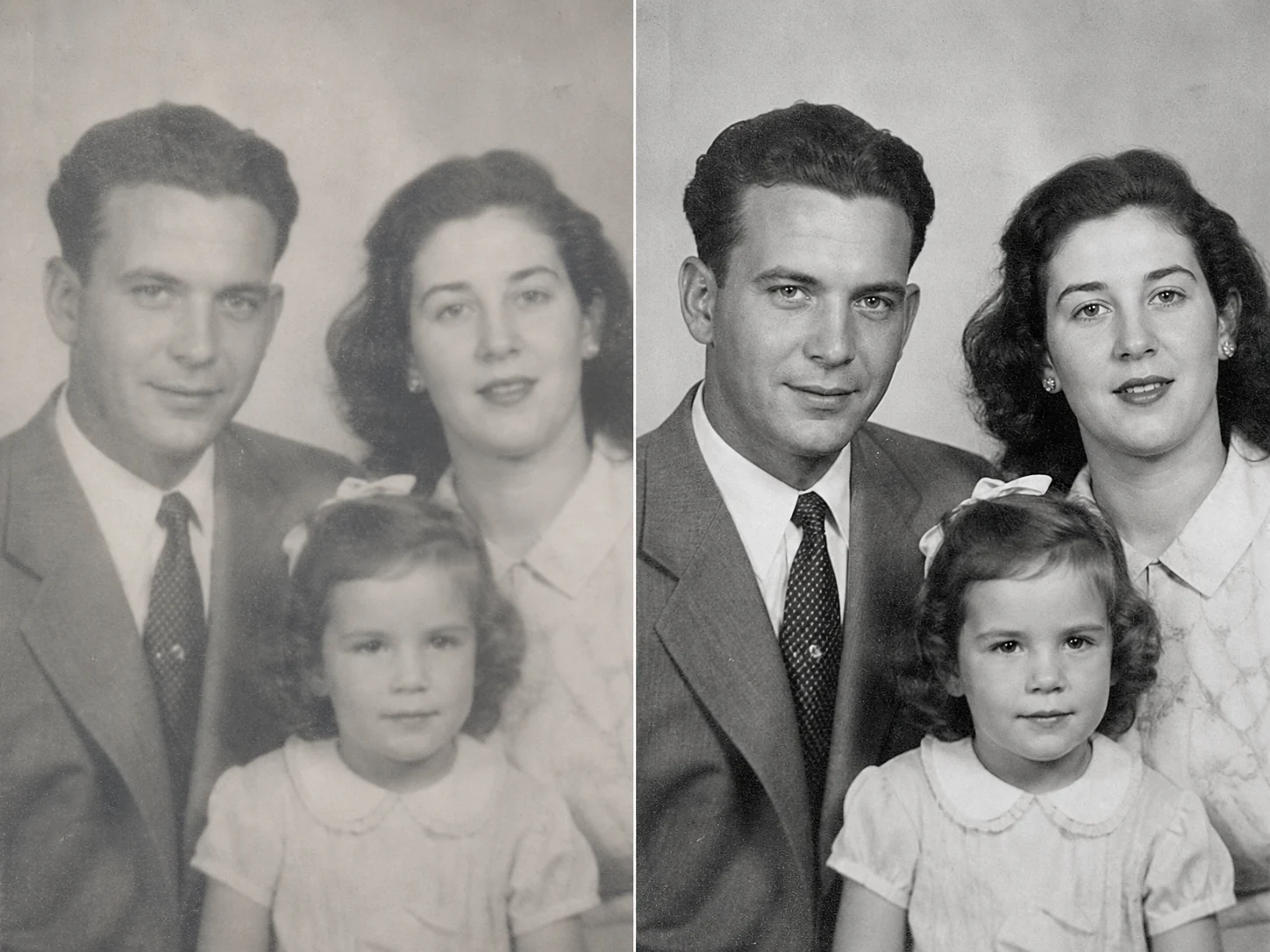 OriginalEnhanced
Improved grayscale balance and detail without adding color or changing the historical character.
Three simple steps
Choose one JPG, PNG, or WebP image. A larger, less-compressed source gives the enhancer more real detail to work with.
Use Auto for the full image, Portrait for facial detail, or Scene for background and environmental detail.
Review the original and enhanced versions side by side, then download the result as a new file.
Choose the right tool
Use the enhancer when a photo looks blurry, noisy, dark, faded, or poorly balanced. Use the upscaler when the photo already looks good but needs more pixels for printing, design, cropping, or high-resolution displays.
Practical use cases
Improve mild blur, low-light noise, uneven color, and soft facial detail while keeping the person recognizable and natural.
Clean up compressed supplier images and clarify product edges, materials, and color before using them in listings or campaigns.
Reduce visible grain, balance dark areas, and correct color casts common in handheld evening photos.
Improve fading, mild blur, and noise while keeping monochrome photos black and white. Severe scratches need a dedicated restoration workflow.
Your image is uploaded for the requested enhancement and checked for content safety before processing. The original file is never edited in place; the enhanced result is returned as a new file. Review the current Privacy Policy for retention and data-handling terms before uploading personal memories, client work, or confidential product images.
AI enhancement may reconstruct or infer fine details, especially in heavily blurred faces, text, or damaged photos. Review important details before using the result for identification, records, product claims, or professional evidence.
Answers before you upload
It improves the visible quality of a photo by reducing mild blur, noise, and compression artifacts while balancing lighting, color, and facial detail. The result is a new enhanced file; the original upload is not modified.
Sign in to enhance an image using account credits, including available free account credits. Each generation costs 2 credits for 1K or 4 credits for 4K.
Yes. Image generation requires a signed-in account and enough credits for the selected resolution.
The enhancer offers a default 1K result or an optional 4K result. Its main purpose is to improve visible quality. If increasing pixel dimensions is your primary goal, use the AI Image Upscaler.
It can improve mild softness and visible edges, but it cannot reliably recover exact detail that was never captured. Heavily blurred faces, text, and damaged areas may contain inferred details and should be reviewed carefully.
Portrait enhancement aims to preserve identity while refining eyes, hair, skin texture, and facial detail. Always compare important facial features with the original because AI may infer fine detail.
The uploader accepts one JPG, PNG, or WebP image per enhancement request.
No automatic colorization is requested by this workflow. The enhancer can improve clarity, fading, and noise while preserving the black-and-white appearance.
The image is sent to provide the requested enhancement and is checked for content safety before the task starts. Review the current Privacy Policy for retention and data-handling terms before uploading sensitive material.
Commercial use depends on your rights to the original image and the YuzuTime Terms of Service. Enhancement does not grant rights to content you do not own or have permission to use.
Sign in to enhance a photo using account credits, or choose a related tool for a different image task.