

YuzuTime AI

AI photo editor demo result

Preview

YuzuTime V1 · default

Recent history

More

No recent edits yet.

Free AI photo editing workspace

AI Photo Editor No Sign-Up - YuzuTime

Upload JPG, PNG, or WEBP, edit images online with text prompts, and download clean results with no login, no watermark, and free daily credits.

YuzuTime AI photo editor workspace demo

Use Cases & Capabilities

What Can You Do with a Prompt-Based AI Photo Editor?

Transform your images using simple natural language commands. Skip tedious brush masks, manual lasso selections, and complex layers—just type what you want to achieve.

Clean & Enhance Product Photos

Clean & Enhance Product Photos

Fix bad studio lighting and eliminate messy reflections or unwanted clutter that ruin your e-commerce shots. Instead of paying for expensive manual clipping paths, simply type a prompt like 'improve product studio lighting, fix harsh shadows, and remove background distractions.' Instantly get marketplace-ready graphics for Amazon or Shopify that drive higher conversion rates.

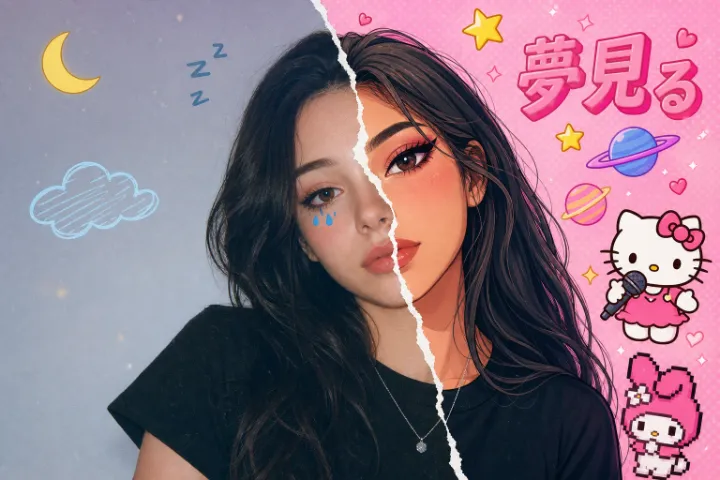
Retouch Portraits with a Natural Look

Retouch Portraits with a Natural Look

Avoid overly airbrushed, artificial-looking profile pictures that lose personal authenticity. Select our specialized Yuzu Retouch model and guide the edit with text commands like 'subtly smooth skin, soften contrast on facial shadows, and change jacket color to dark navy.' Get professional LinkedIn headshots or creative team avatars while fully preserving original facial textures.

Change Backgrounds for High-CTR Social Ads

Change Backgrounds for High-CTR Social Ads

Stop wasting your marketing budget reshooting the exact same product or model asset for different seasonal campaigns. Take one ordinary base photo and input descriptive variations like 'change background to a sunlit minimalist kitchen' or 'replace setting with a vibrant cyberpunk street.' Seamlessly spin up dozens of ad creatives to A/B test and maximize click-through rates.

Why Choose YuzuTime AI Photo Editor?

100% prompt-driven workflow: type the change you want instead of painting masks, drawing selections, or rebuilding layers by hand.

Zero signup friction: open the editor, upload one image, write a prompt, and try edits without email, login, or card setup.

Clean downloads: free daily credits can produce no-watermark exports, so your result is ready for review, store pages, or social posts.

Model-aware controls: choose Yuzu Edit Pro, Yuzu Retouch, Yuzu Product Clean, or Yuzu Portrait Fix for more targeted image edits.

What Is an AI Photo Editor?

An AI photo editor is an image editing tool that uses artificial intelligence to understand a source photo and apply changes from natural language prompts. Traditional editors depend on manual lassos, clone stamps, layers, and brush masks; generative AI editors read the image context and turn plain text instructions into a new edited result.

YuzuTime AI compresses that process into a focused workbench with upload, prompt, model, size, preview, download, and history controls on one page, so product photos, portraits, and social creatives can move from idea to usable edit faster.

How to Use AI Photo Editor

Start with one image, guide the edit with a text prompt, then review and download the result from the same no-login workbench.

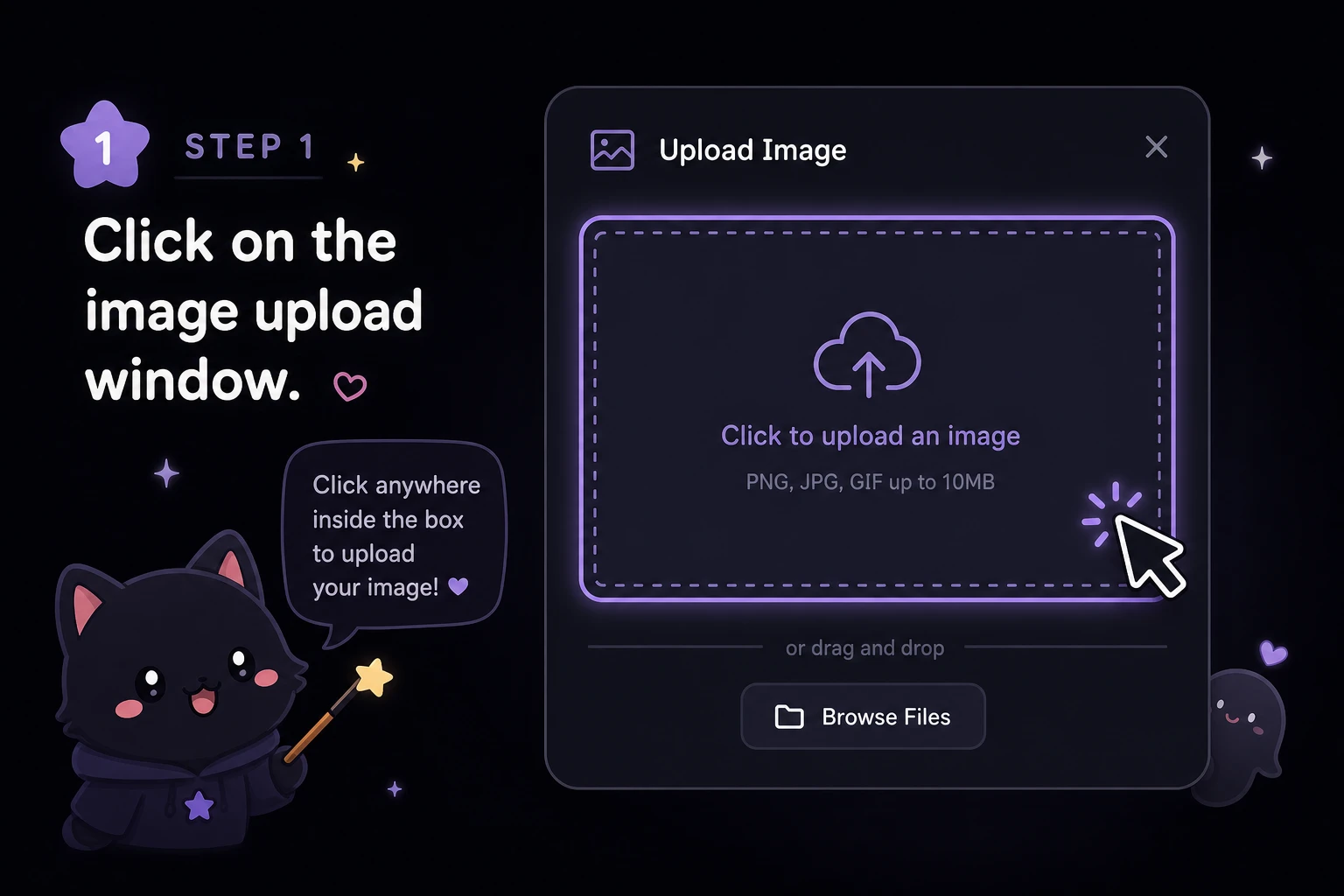
Upload a Photo

Step 1

Upload a Photo

Choose one PNG, JPG, or WEBP image and preview it directly inside the upload window before generation.

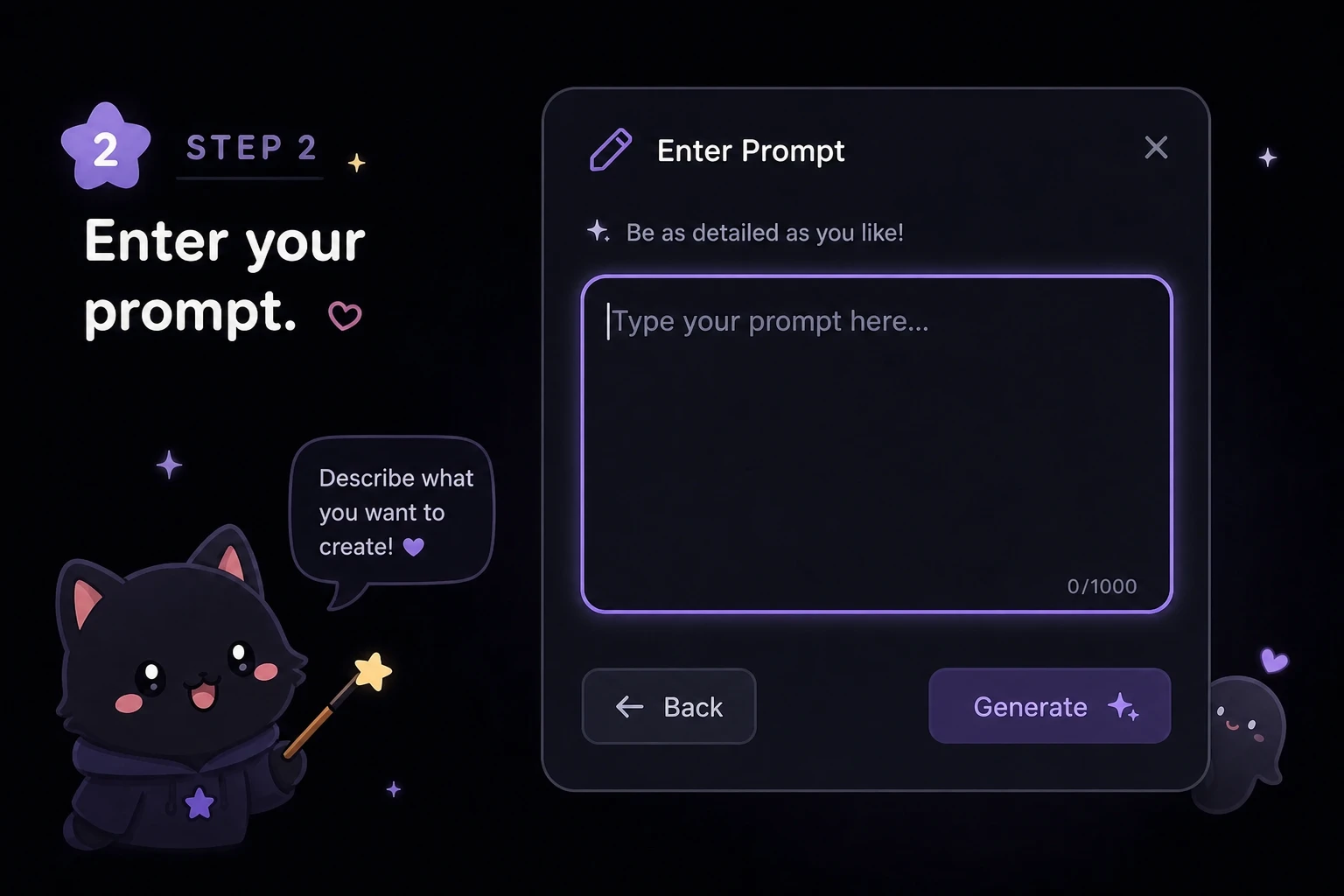
Prompt and Pick a Model

Step 2

Prompt and Pick a Model

No brush required: write a sentence such as "change background to a clean studio wall," choose a Yuzu model, and select the output size.

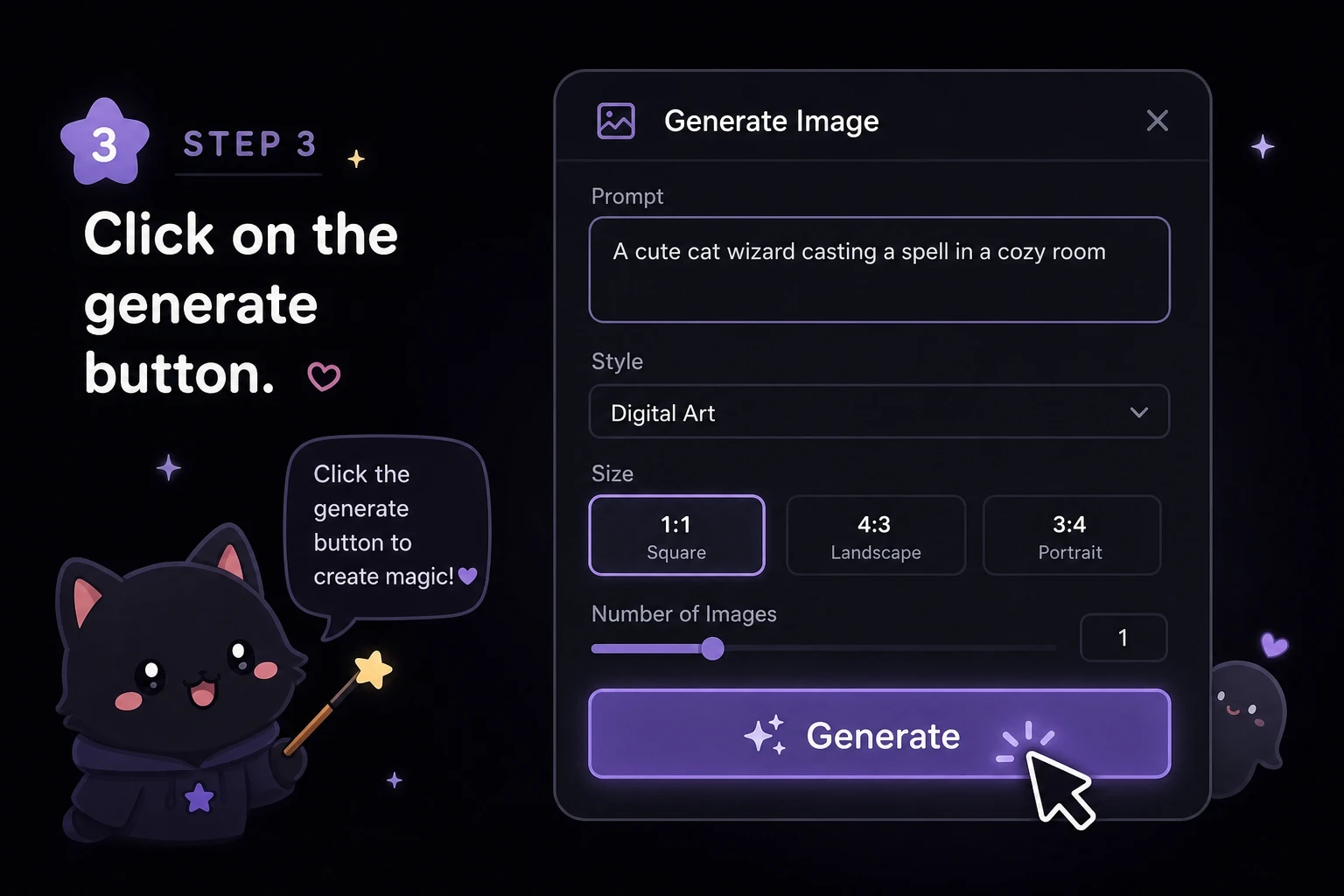
Review and Download

Step 3

Review and Download

Compare the result in preview or history, then download a clean no-watermark image when the edit is ready.

Start Editing Photos with AI

Open the free AI photo editor online, upload one image, and turn a short text prompt into a clean edited result.

Open AI Photo Editor

What Users Say

"The no-login flow makes quick product photo cleanup feel much less heavy than opening a full design suite."

E-commerce founder

"Prompt edits, model choice, size, preview, and history are all visible without losing focus."

Brand designer

"It is fast to test background changes for paid social without asking the team to rebuild every asset."

Growth marketer

FAQ

AI Photo Editor FAQ

Is YuzuTime a free AI photo editor online with no sign up?

Yes. YuzuTime is built for people who want to upload an image, describe an edit, and try AI photo editing without creating an account. Free daily credits let you test prompt-based edits before deciding whether you need more.

Can I use the AI photo editor with prompt instructions only?

Yes. The editor is designed around text prompts. Describe changes such as product photo lighting, portrait retouching, object cleanup, or change background, then choose a model like Yuzu Edit Pro or Yuzu Retouch.

Does YuzuTime support batch or bulk photo editing?

Not yet. To keep generation fast for anonymous free users and avoid long queues, YuzuTime currently focuses on high-precision single-image editing instead of batch or bulk processing.

Can it remove backgrounds or watermarks?

You can ask the prompt-based editor to change a background or remove small distractions, but pixel-level tasks need dedicated tools. YuzuTime is preparing separate AI Background Remover and AI Watermark Remover modules for those workflows.

Do downloads have a watermark?

Free daily credits can create clean downloads without a watermark. Always review the preview before publishing so the edited image matches your product, portrait, or campaign use case.